
FetchJS
2026/3/14大約 2 分鐘
FetchJS
提供了簡單的方法,允許使用者透過KubeJS調用http介面、發送數據或下載文件。
簡單範例
Fetch方法類似於Web中的fetch,可用於調用介面、發送數據。
最常見的用法是模組包讀取官方公告,或者動態從Github倉庫更新設定檔。
FetchJS.fetch("https://api.xygeng.cn/one", data=> {
  event.player.tell(data);
});
這個網址是一個隨機名言介面,可用於測試,返回的數據:
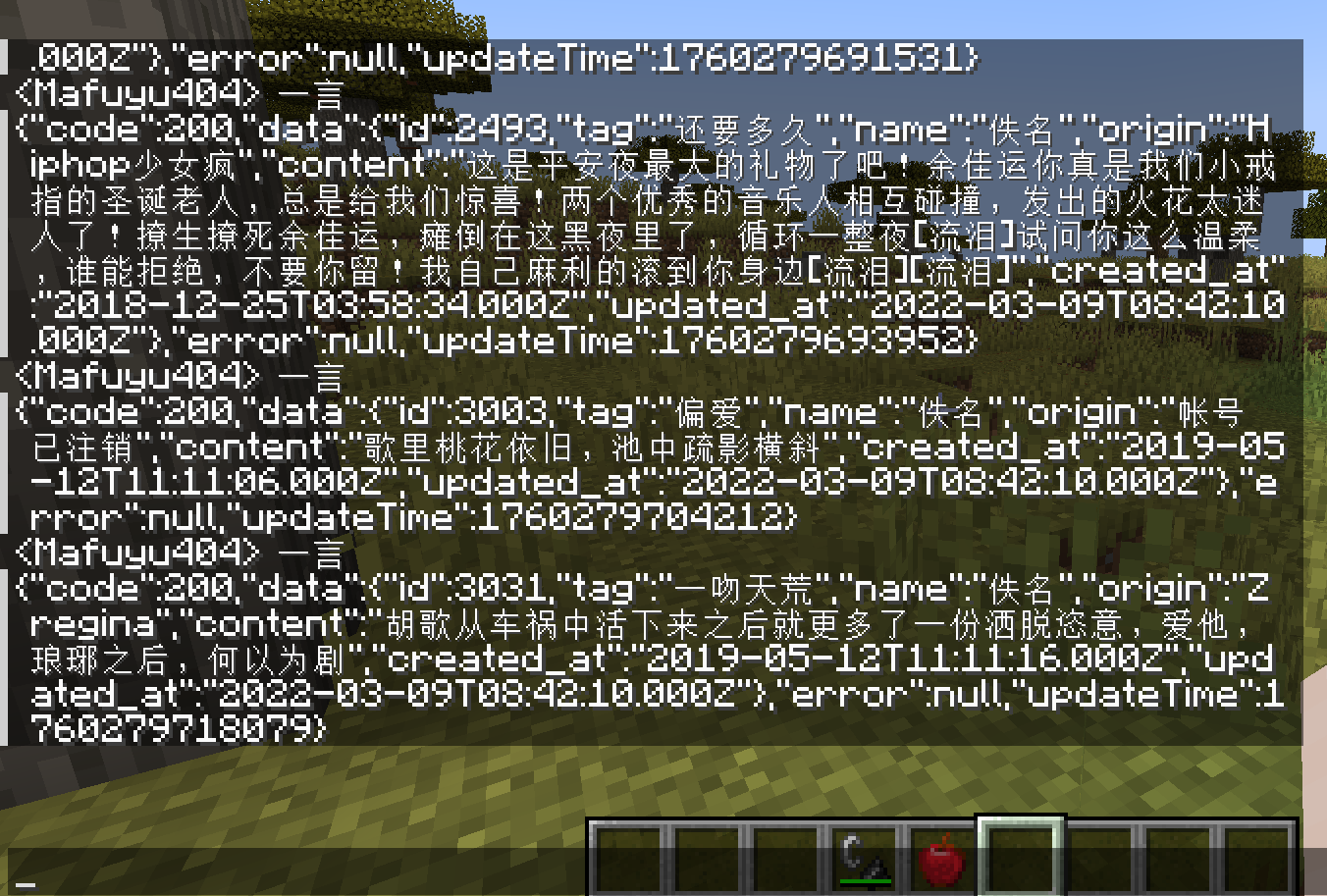
Download方法用於下載,如圖片、模組等。
FetchJS.download(
  "https://raw.githubusercontent.com/Tower-of-Sighs/SmartKeyPrompts/refs/heads/master/libs/SlashBladeResharped-1.20.1-1.3.40.jar",
  "mods/SlashBladeResharped-1.20.1-1.3.40.jar",
  progress => {
    event.player.displayClientMessage(Component.literal("下載中" + Math.round(progress * 100) + "%"), true);
  }
);
例子中調用這個方法往mods文件夾裡下載拔刀劍模組,並且能即時顯示下載進度。
下載圖片會更加快且實用,請盡量下載正經的東西哦。
拓展用法
上述示範的是簡化版用法,如果需要使用近乎完整的功能,請除錯下面兩個方法:
boolean fetch(
  String url,
  String method,
  Map<String, String> headers,
  String jsonBody,
  Map<String, String> formData,
  int timeoutMillis,
  Consumer<String> callback
);
boolean download(
  String url,
  String path,
  Map<String, String> headers,
  int timeoutMillis,
  Consumer<Double> progressCallback);
用不到的參數就都填null好了,timeoutMillis是判斷連接失敗的最大允許毫秒數,如果不知道如何填,可以參考Github倉庫最大嘗試連接時間20000毫秒。
理論上,簡化版方法已能適用於大部分情景,拓展方法並未經過深度測試,請謹慎使用。
如果你看不懂拓展方法如何使用,可參考正宗fetch方法。
其它
本模組性質特殊,不知道能活多久,且行且珍惜。